A free running year in review for Apple Watch
Apple has no yearly running recap, and Strava's Year in Sport needs a subscription since 2025. How to see your year of runs on iPhone, and get a recap to share, for free.
December is when the year in review cards start filling everyone's feed. If you run with an Apple Watch, you might look for yours and find that it is not there. Here is what each app gives you, and how to get a full recap of your year of running without paying a subscription.
What Apple gives you
Apple has no yearly recap for your workouts. What you do get:
- The Health app shows a year of distance: Browse, Activity, Walking + Running Distance, then Y. It mixes walks in, so it is not your running total. The running only guide explains why.
- The Fitness app has Trends and Awards, and a list of every workout. Filter by running and you can scroll your year, run by run, and add it up yourself.
Useful, but nothing you would want to share, and nothing that tells you what kind of year it was.
What Strava gives you
Strava's Year in Sport was free for years. Since the 2025 edition it is part of the Strava subscription. Free accounts still record runs, follow friends and give kudos, but the recap itself is locked.
It also only knows what is in Strava. Runs you never uploaded, or recorded with another app, are not in it.
A free recap from Apple Health
Your Apple Watch has been writing every run to Apple Health all year: date, distance, time, pace, heart rate and route. Everything a year in review needs is already on your iPhone. Runtile turns it into one.
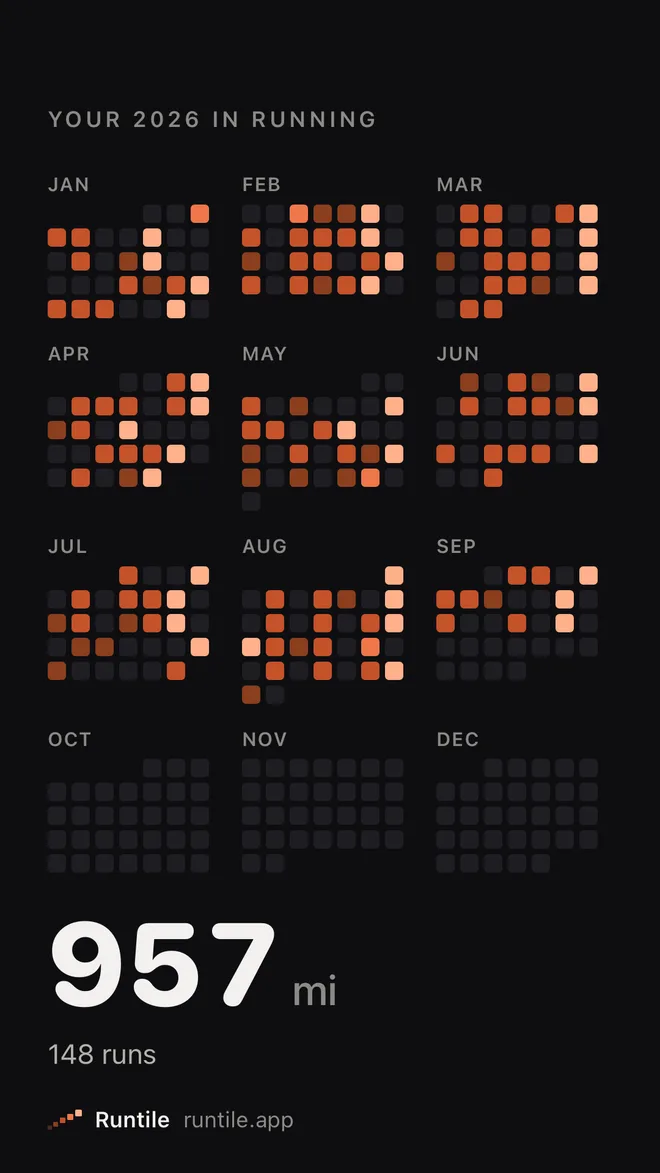
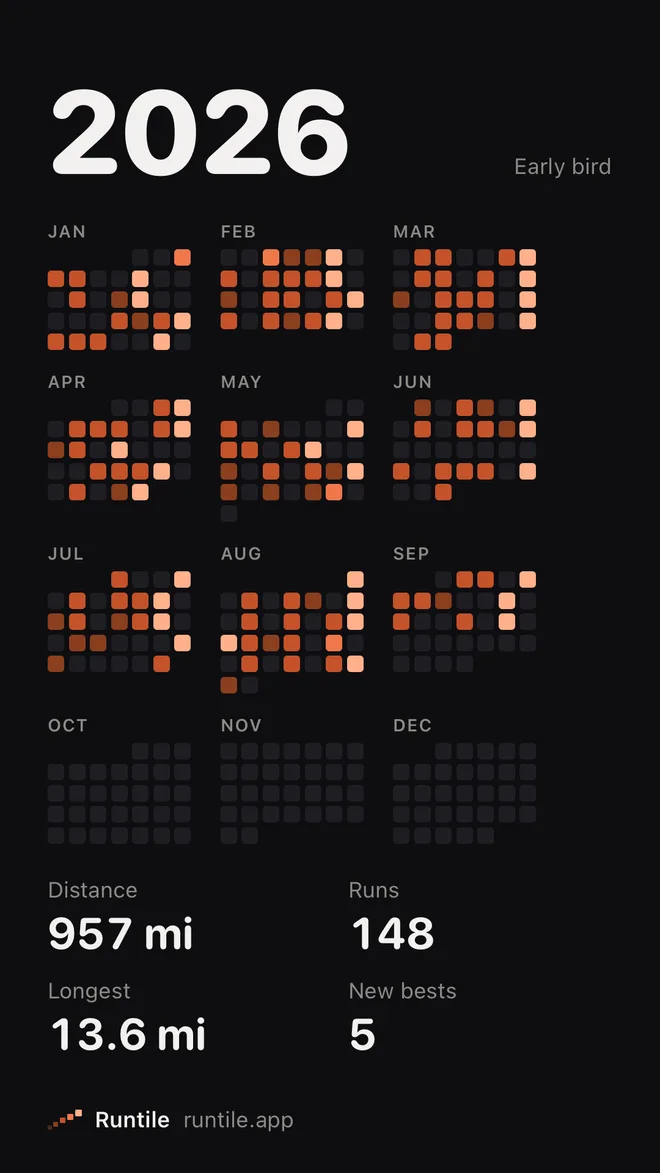
Year in Review replays your year a day at a time, then steps through:
- Your year in perspective: distance, runs, time and average pace, next to something you know, like London to Paris or the length of Great Britain.
- Your biggest month.
- The long one: your longest run, its route drawn in pace colours.
- New personal bests: every distance you ran faster than before.
- Your runner type: early bird, lunch-break runner, night owl or weekend warrior, from when you actually ran.
- Your shoes: the pair that did the most work, and how worn it is.
- The poster: the whole year on one card.
Every card shares as a story, and the poster also as a 4:5 card for feeds. The current year's recap is free, every card included. See Year in Review for all of them.
Every run, from every watch
Because it reads Apple Health, the recap counts runs from your Apple Watch, a Garmin, Strava or Nike Run Club in one year, as long as they reach Health. If the same run was written twice, Runtile counts it once.
Before December, check your runs are all there:
- Garmin, Coros, Polar or Suunto: turn on the Health sync in the watch's app. See the Garmin guide.
- Strava: turn on Send to Health. See the Strava guide.
- Nike Run Club: see the Nike Run Club guide.
Runs recorded before you turned the sync on stay in that app, so do it early.
Private by design
Strava builds its recap on its servers from the activities you uploaded. Runtile builds yours on your iPhone. There is no account, nothing is uploaded, and the recap works in airplane mode.
Questions
Does Apple Fitness have a year in review?
No. Fitness has Trends and Awards, and Health can show a year of distance, but there is no yearly recap of your runs to watch or share.
Is Strava's Year in Sport free?
Not since the 2025 edition. Strava made Year in Sport part of its subscription. Free accounts still record and share runs.
Does my year in review include runs from my Garmin or Strava?
In Runtile, yes, if they reach Apple Health. Runtile reads every run in Health, whichever watch or app recorded it, and merges duplicates.
When should I watch it?
Any time. During the year it replays up to today. From December it is on Runtile's Summary screen, and last year's recap stays free through January.
Related guides
- Apple Health2 min read
How to see total distance walked or run on iPhone
See how many miles or km you walked or ran this month or year on iPhone, in the Fitness and Health apps, and how to get a total of your runs only.
- Training2 min read
Reading a pace heatmap: fast days, easy days and the 80/20 rule
A year of runs as coloured tiles tells you more than any list. How to read the colours, what a healthy pattern looks like, and why most of your tiles should be dark.
- Apple Health2 min read
Running distance without walks in Apple Health
Apple Health lumps walks and runs into one Walking + Running distance. How to see only what you ran, in Health and Fitness, as a monthly or yearly total.