Build up without breaking down.
Runtile weighs every run by its distance, how hard it was and how much it climbed, then compares your week with your usual one. A clear note when the jump is big, free on the Summary screen and in widgets.

Distance alone tells half the story. Ten flat easy kilometres and ten kilometres of hill repeats are the same number in the Health app, and your legs know they are not the same week. Runtile counts both.
Effort km
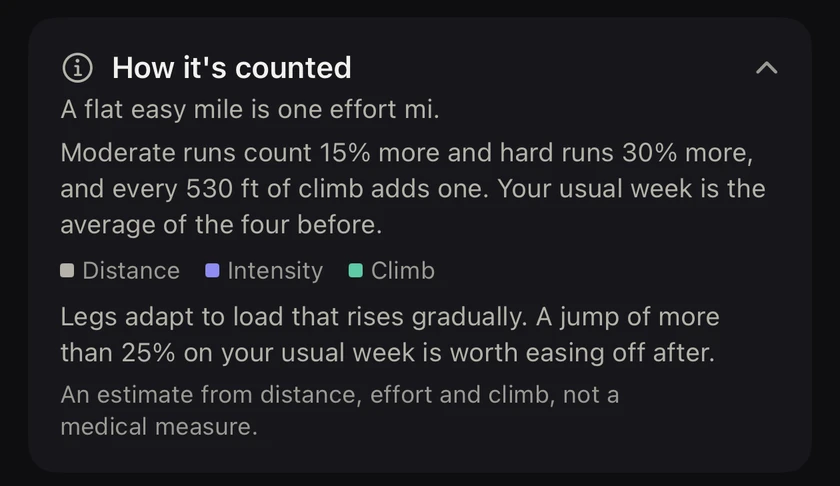
Every run gets a load in effort km (or effort mi, if you run in miles):
- Distance. A flat easy kilometre is one effort km.
- Intensity. Moderate runs count 15 percent more, hard runs 30 percent more.
- Climb. Every 100 m up adds one effort km, the trail runners' rule of thumb. Treadmill runs count distance and intensity only, since incline is rarely saved.
So a 10 km easy run on the flat is 10 effort km. The same 10 km run hard with 300 m of climb is 16. An easy flat week reads as its distance, which keeps the number easy to read.
Your week against your usual one
Your usual week is the average of the four weeks before this one. Each week is compared with it:
| Verdict | What it means |
|---|---|
| Steady | Close to your usual week. Steady builds are the ones legs cope with best. |
| Building up | More than 10 percent above. Fine for a week or two, then hold it. |
| Big step up | More than 25 percent above. An easier week next keeps the build gradual. |
| Lighter week | Below your usual week, which gives your legs time to catch up. |
| Back after a break | Your usual week dropped while you were off. Build back up over a few weeks rather than in one. |
The comparison is a ratio, so it is the same in kilometres and miles.
The Running load card
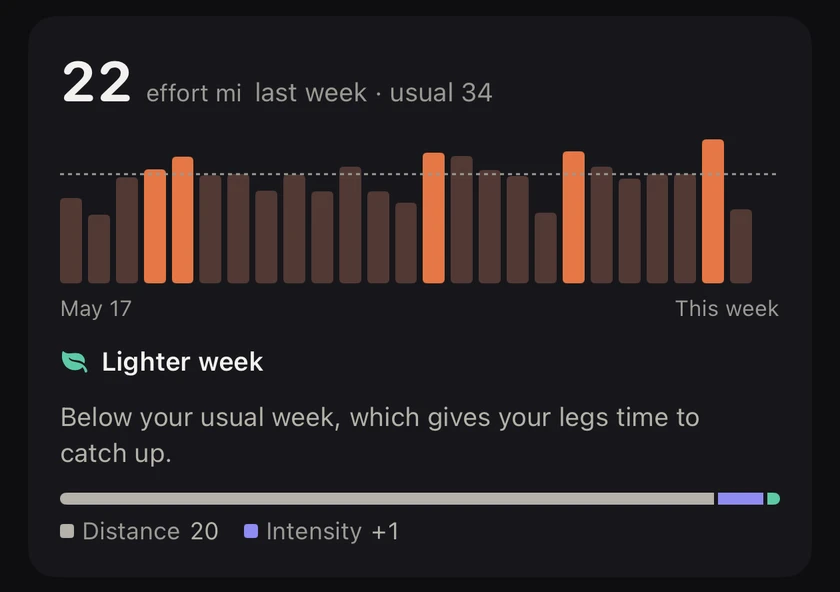
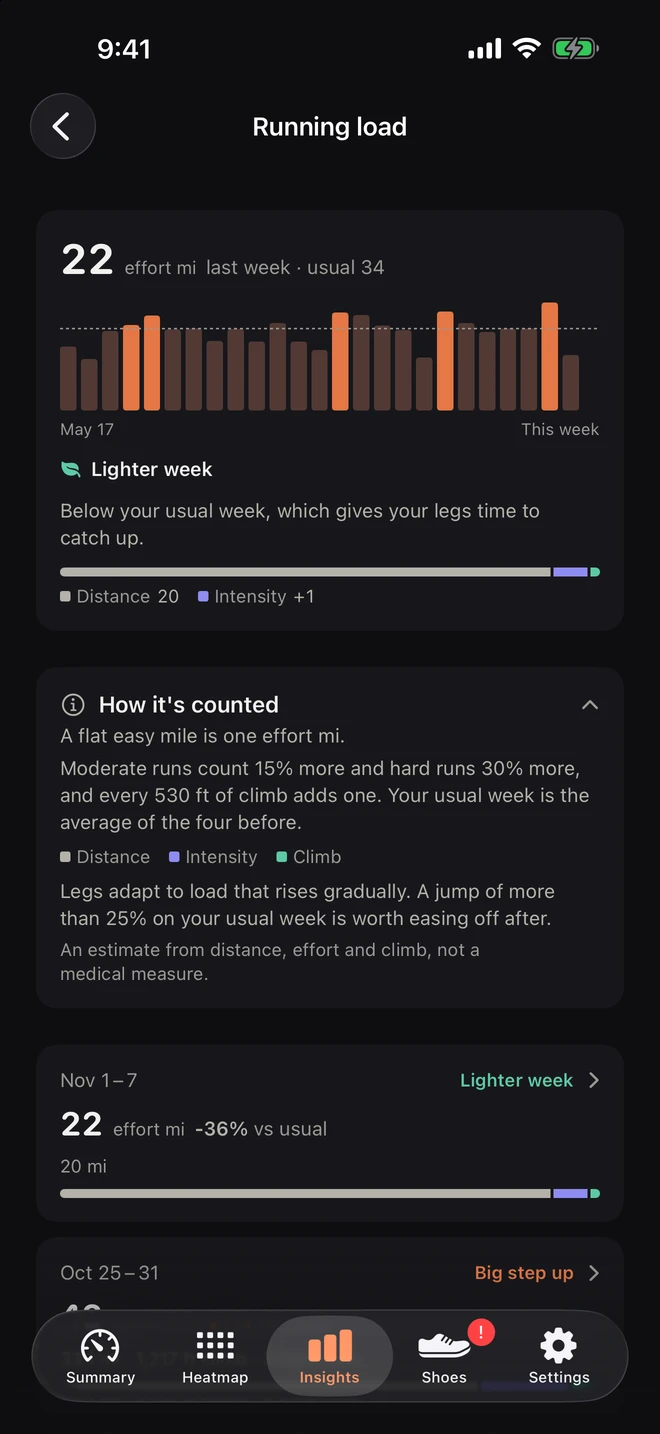
In Insights, the Running load card shows your last 12 weeks as bars against a dashed line for your usual week, the verdict for this week, and what the load is made of: distance, intensity and climb, as one bar with a legend. A hilly week and a fast week look different even when the total is the same.
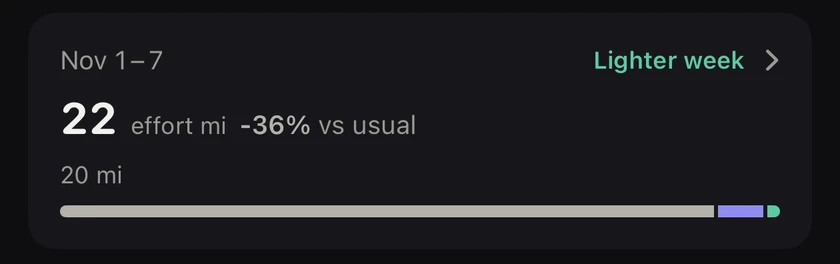
Tap it for the Running load screen: 26 weeks, how the load is counted, and one row per week with its change on the usual week and its makeup. Each row opens that week's runs.
It needs three weeks with runs before it says anything. Until then the card stays readable and counts down the weeks left.
Free: the load warning
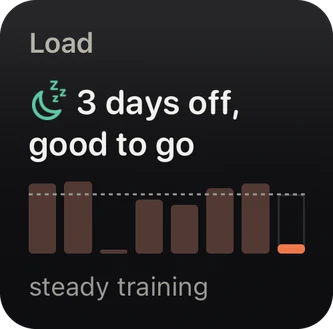

You do not need Pro to be warned. When this week runs well above your usual one, the Summary screen says so, for example "Load +27% vs your usual week", with the kilometres, the climb and the hard runs behind it. The This Week and Load and Recovery widgets use the same load, and so do the rest notes after a big week.
Why weekly load and not the 10 percent rule
Legs adapt to load that rises gradually. Bones, tendons and muscles all get stronger from running, just more slowly than your fitness does, so the risky weeks are the sudden jumps on what you usually do. The 10 percent rule tries to capture that with distance alone. Counting effort and climb catches the weeks it misses: the same mileage, but twice the hills, or every run turned into a workout. More in the guide how much to increase your weekly mileage.
From the runs you already have
Running load reads the runs already in Apple Health, from your Apple Watch, Garmin, Coros, Strava or any app that writes to Health, back as far as your history goes. Nothing to log, no account, and nothing leaves your iPhone.
Questions
What is an effort km?
A flat easy kilometre is one effort km. Moderate runs count 15 percent more, hard runs 30 percent more, and every 100 m of climb adds one. In miles it is the effort mile: every 530 ft of climb adds one. An easy flat week reads as its distance, so the number stays familiar.
How does Runtile know how hard a run was?
From your heart rate zones, or from the effort rating your Apple Watch saved for the run, which wins when there is one. A run with neither counts as easy, so the load never guesses upward.
What is my usual week?
The average load of the four weeks before this one. Above it by more than 10 percent, the week is building up. More than 25 percent, it is a big step up.
Is it the same as Training Load in the Apple Fitness app?
No. Apple's Training Load comes from how hard your workouts felt and how long they lasted, across every sport. Runtile's running load is about your legs: it counts kilometres and climb, then adds a little for intensity. Both are useful, and they answer different questions.
Is running load free?
The load warning is free: the note on the Summary screen and the This Week and Load and Recovery widgets all use it. The Running load card in Insights and the full screen with 26 weeks are part of Runtile Pro.
Is it a medical measure?
No. It is an estimate from distance, effort and climb, made to show how your week compares with what your legs are used to. If something hurts, see someone who can look at it.
Related guides
- Training5 min read
How much should you increase your weekly mileage? The 10% rule and running load
The 10 percent rule is a start, not the whole story. Compare each week with your usual one, count hills and hard runs too, and know which jumps are worth easing off after.
- Training2 min read
Cadence, stride, vertical oscillation and ground contact time explained
Your watch records running form metrics. Here is what each one means in plain words, what typical values look like, and which ones are actually worth changing.
Start with your last year of runs.
Runtile reads what is already in Health. Your history appears in seconds, no account needed.