Know when your shoes are done.
Add the shoes you run in and Runtile assigns your runs to them automatically. See how far each pair has gone, compare pairs, get a reminder when it is time for new ones, and bring your shoes over from a Strava export.
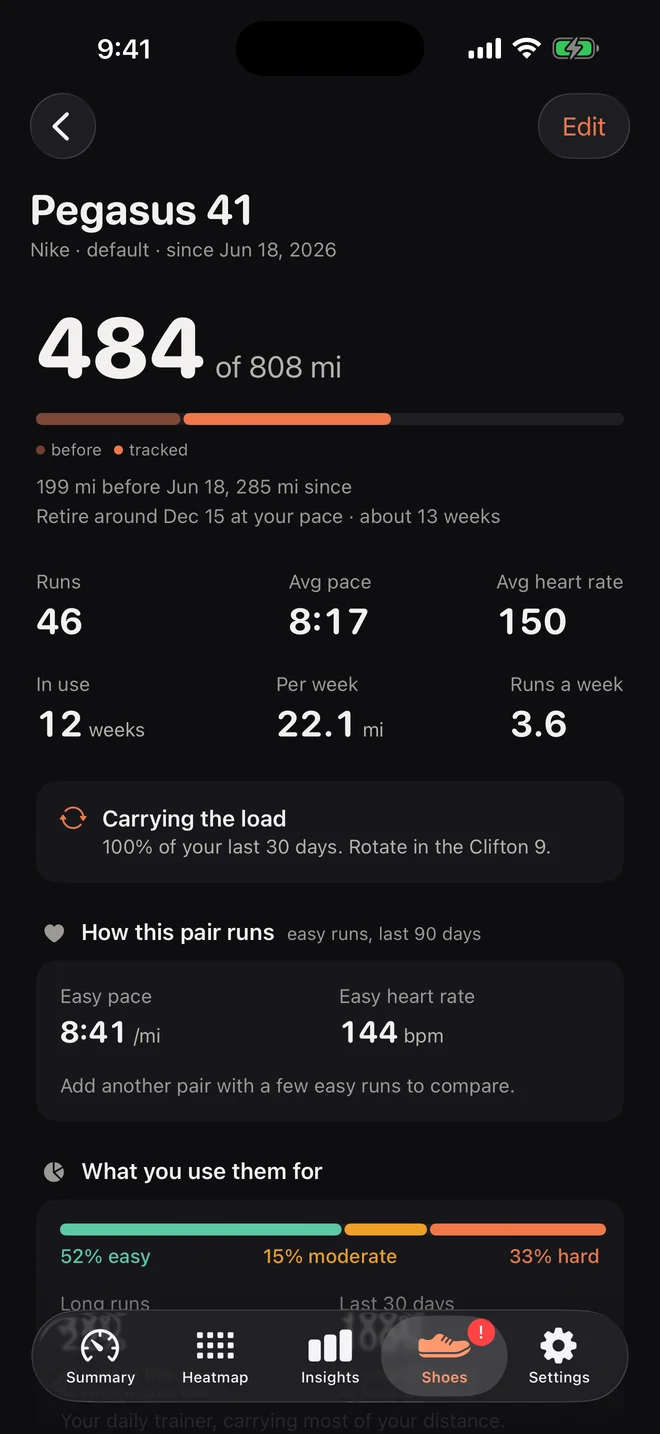

The rule: the app assigns, the runner corrects
Most apps make you pick shoes after every run. That is why most runners give up on shoe tracking in week two. Runtile turns it around.
- Add a pair. Name it, with suggestions from a list of common models. Enter the kilometres it already had, the date you started running in it, and the price if you want cost per kilometre.
- Runtile assigns your history. Each pair owns the runs between its start date and the next pair's start date. Overlaps go to your default pair and are marked as guessed. Runs from before your first pair stay unassigned.
- You correct the odd one. Open a run and tap the shoe row. Or use select mode in the run list to move a whole month with one tap. Or on a shoe page, "Assign runs from A to B".
From then on, every new run gets your default pair. If you run in more than one pair, turn on the optional notification: about half an hour after a run ends, "Which shoes for your 10.4 km?" with up to four pairs as buttons. One tap, done. The Last Run widget has the same buttons.
What each pair shows
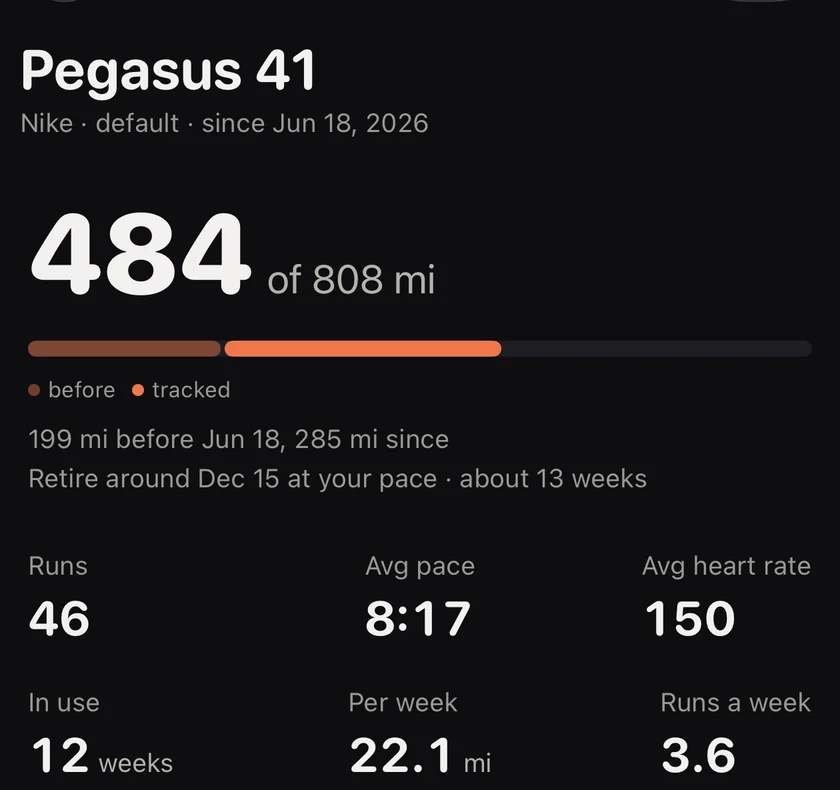
- Mileage as starting kilometres plus every assigned run, so it stays right if a run is deleted from Health.
- A progress bar toward your retirement distance, which you set between 500 and 1000 km. It turns red at 85 percent and a notification fires once when you cross the line.
- Weeks left, estimated from your recent weekly distance.
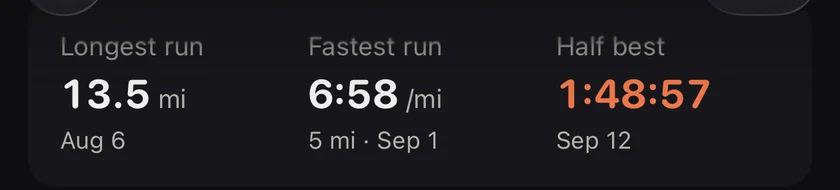
- Average pace and heart rate in this pair, plus longest run, first and last run, kilometres per month.
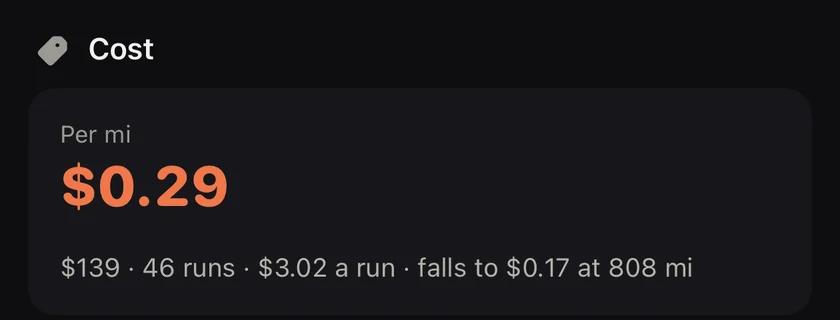
- Cost per kilometre when you entered a price. It is a satisfying number when a pair reaches 800 km.

Compare shoes
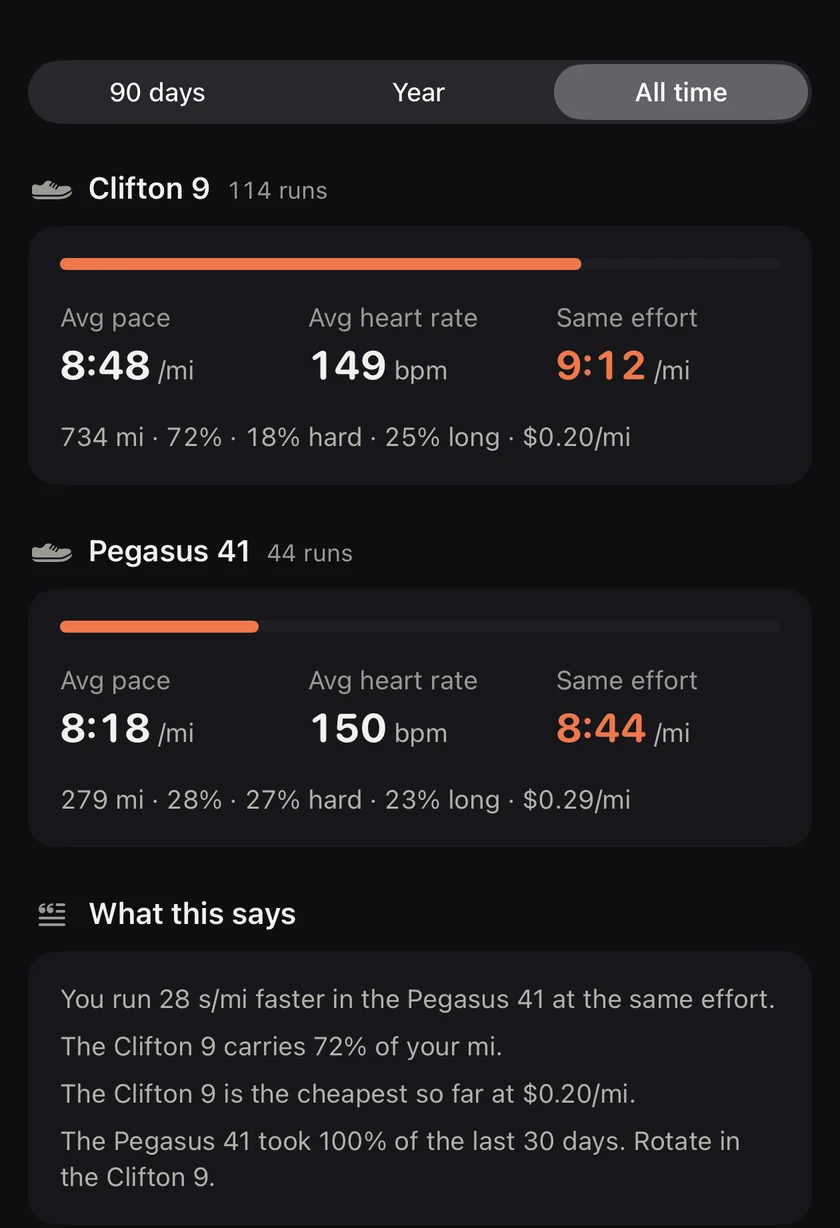
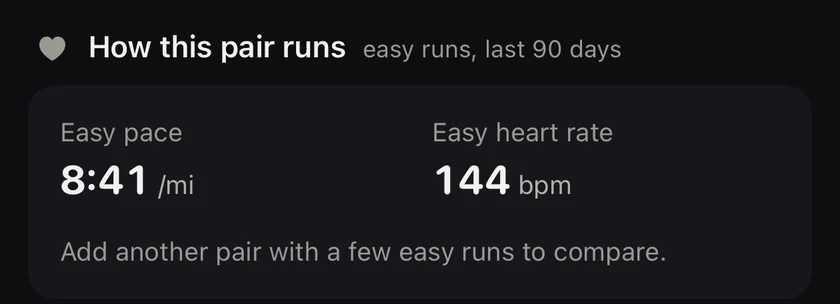
Side by side: pace, heart rate, and pace at the same heart rate, so you can see which pair you run easier in. A rotation hint appears when one pair is taking more than 70 percent of your recent kilometres.
Strava import
If your shoe history lives in Strava, you do not have to rebuild it. Runtile reads the activities file from your Strava archive, matches each run to Health by start time, and applies the gear. Confirmed assignments you made in Runtile are never overwritten.
Questions
How many shoes can I add for free?
One pair, with its mileage, automatic assignment and the retirement reminder. More pairs, per shoe stats and comparing pairs are Pro. Retired shoes keep their history.
How does Runtile know which shoes I wore?
Each pair owns the runs from the day you started running in it until the next pair's start date, or today for your default pair. New runs go to the default pair. You can change any run, and a notification after each run lets you pick with one tap.
I already have years of shoe history in Strava.
Request your Strava archive, open the zip in Runtile, and your gear assignments are matched to your Health runs. Existing shoes are recognised by name, new ones are created.
Related guides
- Strava2 min read
Import your Strava shoe history into Runtile
Request your Strava archive, open the zip in Runtile, and your gear assignments are matched to the runs in Apple Health. What gets matched, what gets skipped, and what is never overwritten.
- Shoes4 min read
How many miles (km) do running shoes last? Mileage calculator
Most running shoes last 300 to 500 miles (500 to 800 km). Work out how many miles or weeks your pair has left, the signs a pair is done, and how to track it.
Start with your last year of runs.
Runtile reads what is already in Health. Your history appears in seconds, no account needed.