Your week, month and year at a glance.
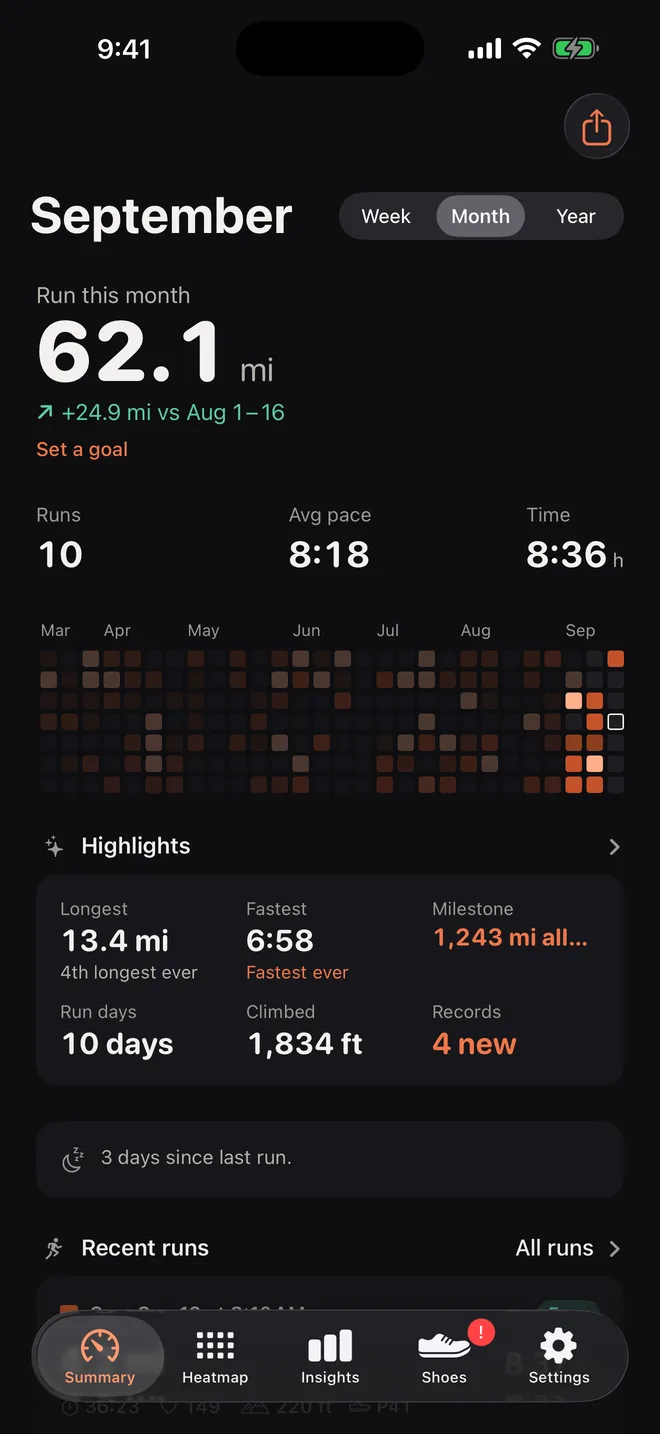
How far you ran this week, month or year, compared with the same point last time. Your runs, time, average pace and streak beside it, and a ring that fills as you get closer to your goal.
The problem it solves
Open the Health app and look for how far you ran. You will find Walking + Running Distance. It is one number for both, and it grows every time you walk to the car. Apple Fitness shows workouts one at a time, but no running only total for a month or a year.
Runtile starts from the workouts instead. Each run your watch or app saved to Health is a Running workout with its own distance. Runtile adds those up and nothing else.
What you see
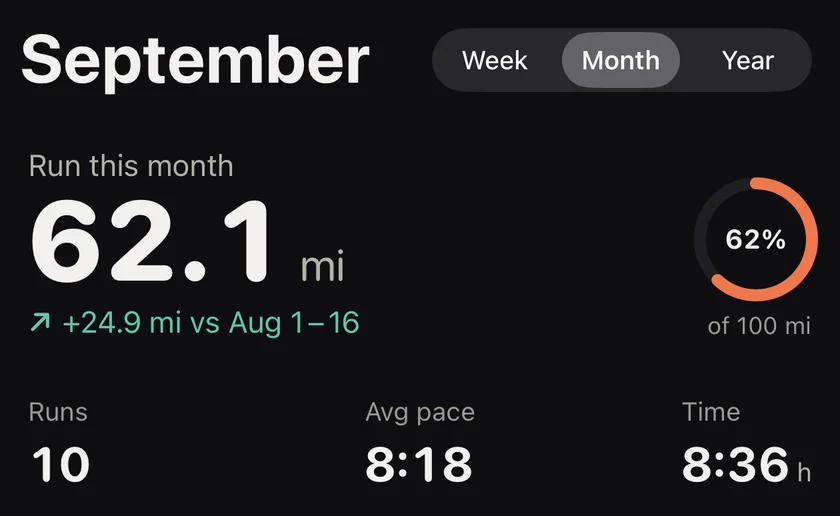
- The hero number. Kilometres or miles run this week, month or year. It changes with a swipe of the period picker and animates so you see the difference.
- The change. A small arrow with the difference against the same point last period, so a half finished month compares with the same half of last month, not the whole thing.
- Runs, average pace, streak. The three things runners actually ask each other.
- A goal ring. One distance goal per month and per year. Tap the ring to set it. The ring fills as you go.
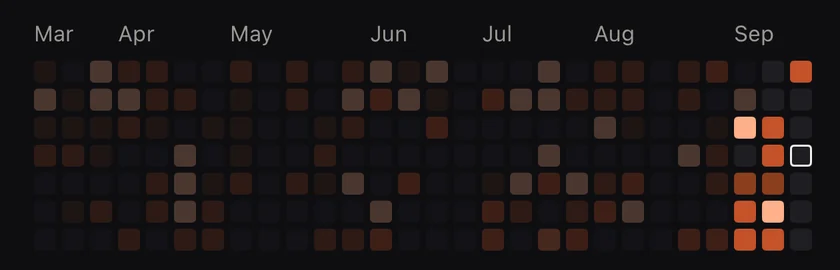
- The last twelve weeks in tiles. A small strip of the heatmap so you can see the shape of your recent training without leaving the screen.
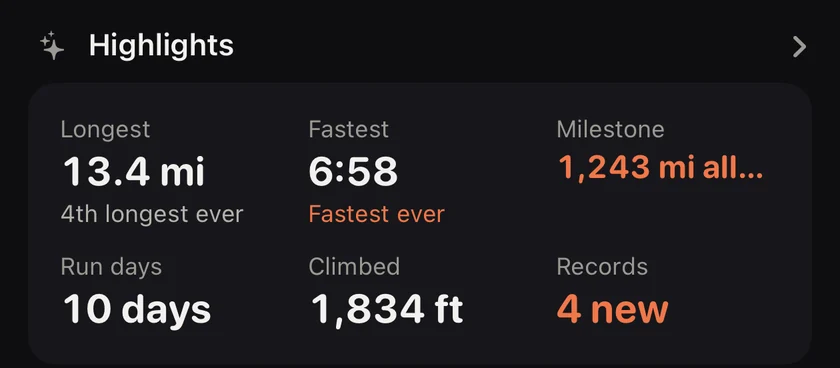
- Highlights. Longest run, fastest run and biggest week for the period, one tap from the full list.
- Days since your last run. Always visible, with a gentle note after a heavy week or a long break.

How it works
- Runtile asks to read workouts, distance and heart rate from Health. Reading only. It never writes.
- On first launch it walks your whole history, year by year, and shows the count climbing.
- After that it listens for new workouts, so a run finished on your watch appears on your phone within moments, and the widgets refresh.
Runs recorded by two apps at once, for example an Apple Watch and Strava, are merged when they overlap in time, so nothing is counted twice. A Duplicates screen in Settings lets you check what was merged.
Details runners care about
- Day boundaries use the time zone the run was recorded in, so a morning run in Tokyo lands on the Tokyo date.
- Week start follows your calendar, with a Monday, Sunday or Saturday override.
- Runs without a distance, such as an indoor run on a watch without a footpod, show time only and stay out of the pace scale.
- Distance and pace formatting follow your locale.
Questions
Does the total include walking?
No. Runtile reads Running workouts only. Walks, hikes and steps are ignored, even when they are in Health.
What about treadmill runs?
Indoor runs are included and badged so you can tell them apart. A switch in Settings excludes them if you prefer road only totals.
Can I see miles instead of kilometres?
Yes. Settings has a units switch. Pace follows it, so you get minutes per mile everywhere.
Related guides
- Apple Health2 min read
Running distance without walks in Apple Health
Apple Health lumps walks and runs into one Walking + Running distance. How to see only what you ran, in Health and Fitness, as a monthly or yearly total.
- Strava2 min read
How to sync Strava runs to Apple Health
Turn on Send to Health in the Strava iPhone app so your runs appear in Health as workouts. What syncs, what happens to runs from a Garmin, and how to avoid doubles.
- Apple Health1 min read
Duplicate runs in Apple Health: why and how to fix
Two apps wrote the same run, so Health counts it twice. How to find which apps did it, stop it for good, and keep your monthly distance right.
Start with your last year of runs.
Runtile reads what is already in Health. Your history appears in seconds, no account needed.