Celebrate every week.
Your longest run, your fastest, new records and milestones, gathered into a short story of each week, month and year. Free for every runner.
Your running, told as a story
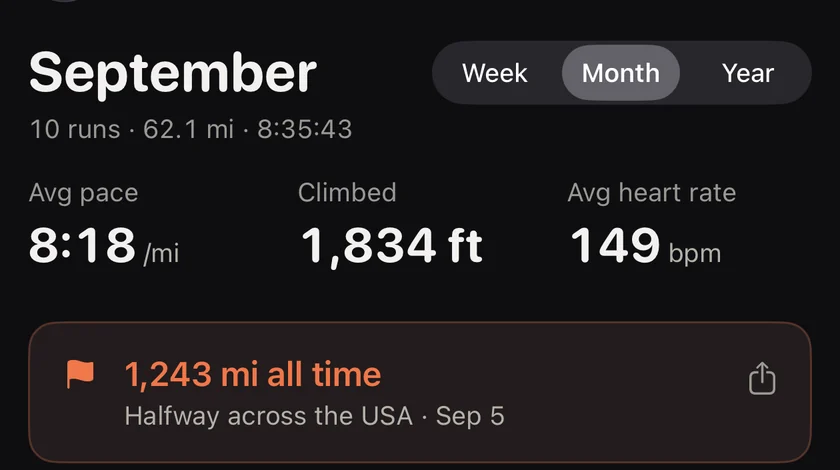
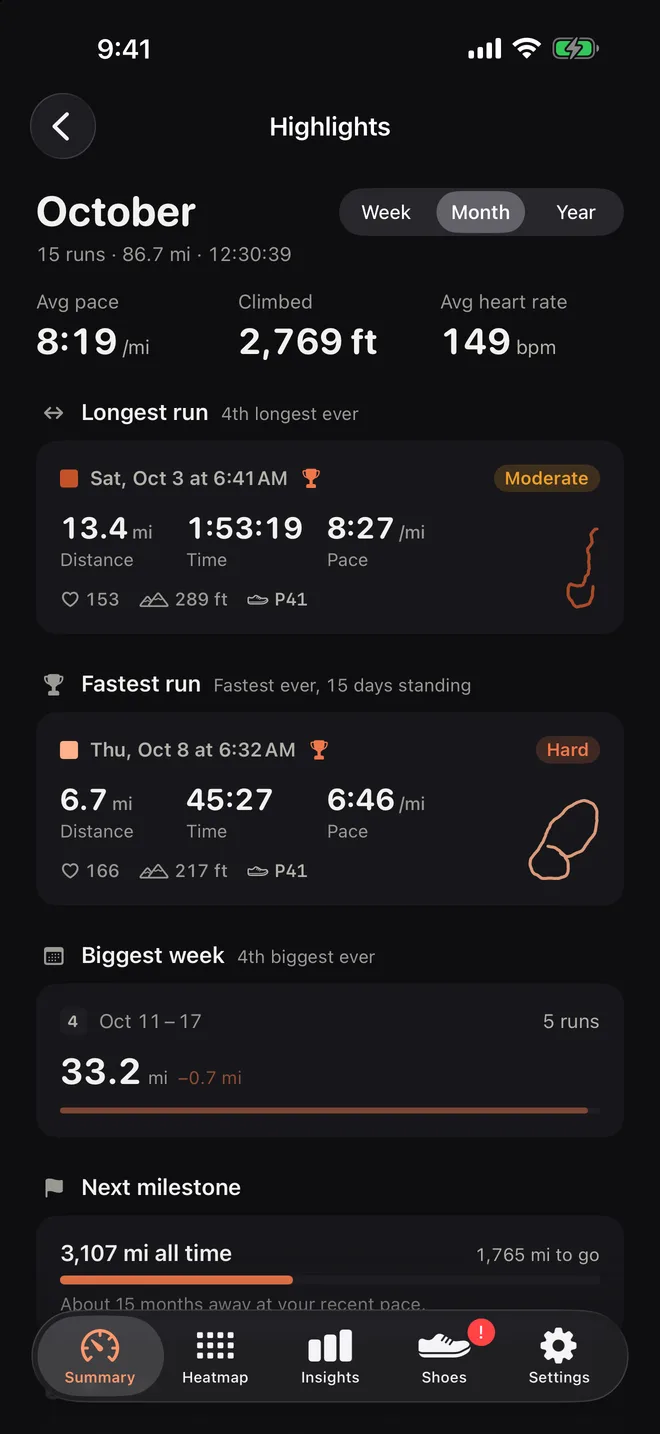
Numbers are nice. A story is better. Open Highlights from the Summary screen and Runtile picks out what made the period special, in plain words:
- Longest run, and where it ranks: "4th longest ever".
- Fastest run, and how long it has stood.
- Biggest week, with the runs that made it.
- New personal bests set in the period.
- Milestones you crossed, and the next one, with the distance still to go.
- Climbed, run days and average heart rate for the period.
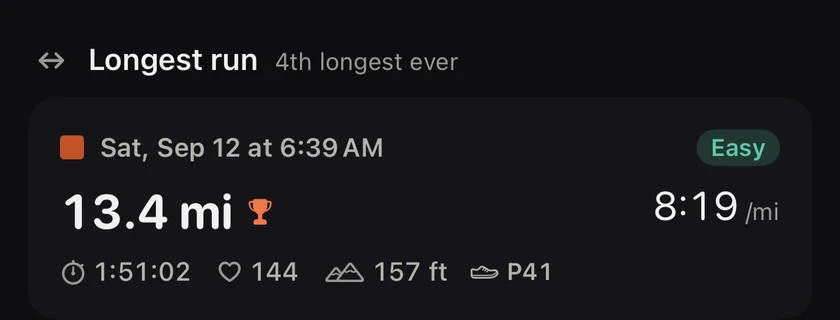
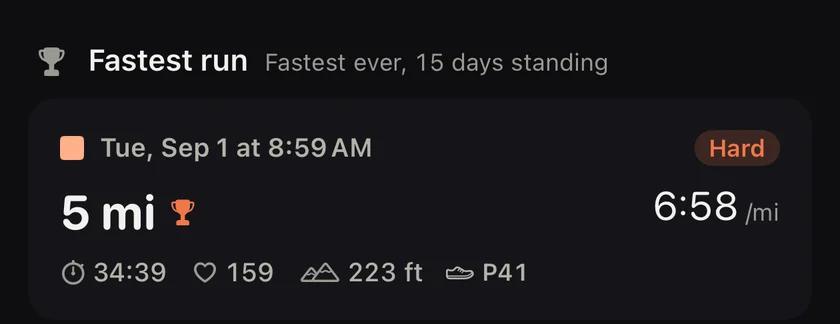
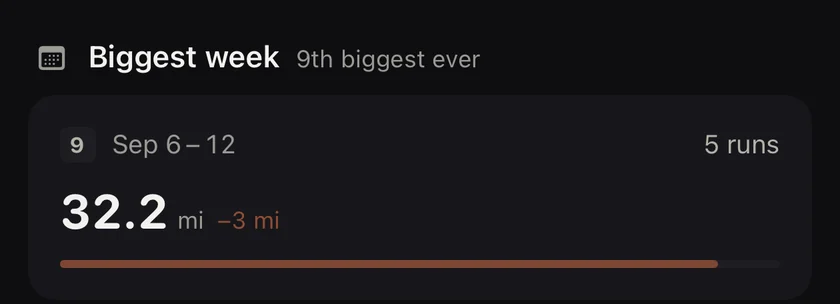
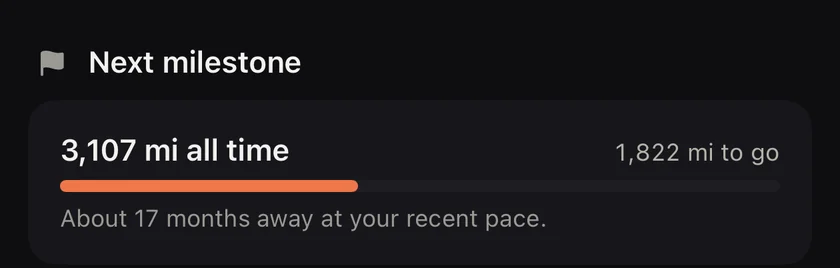
Switch between week, month and year at the top. The year view compares with the same point last year, so a September looks at the first nine months of both years, not a whole year against part of one.
For every kind of runner
- Just starting? Your first 5 km, your first 50 km month and your first four week streak all show up here. Small wins count.
- Running for fun? It is a nice way to look back at a month and share it.
- Training for a race? Biggest weeks and new bests tell you if the block is working.
Streaks and goals, right beside it
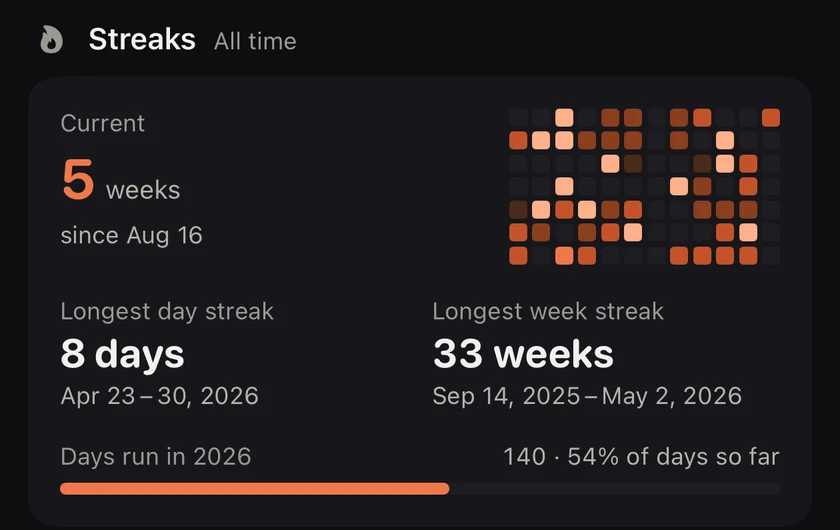
The Summary screen above Highlights shows your streak in days or weeks, and a ring for your monthly or yearly goal. Tap the ring to set a goal. It fills as you run.
Questions
Are Highlights free?
Yes. Highlights and milestones are free for the week, month and year, with no time limit.
What counts as a milestone?
Round distances along the way: your first 100 km month, a 500 or 1,000 km year, and all time totals with a fun comparison, like halfway across the USA. The next milestone always shows how far you have to go.
Can I share a highlight?
Yes. Milestones and the month or year have a share button that makes a card you can post or send.
Related guides
- Training2 min read
Reading a pace heatmap: fast days, easy days and the 80/20 rule
A year of runs as coloured tiles tells you more than any list. How to read the colours, what a healthy pattern looks like, and why most of your tiles should be dark.
- Apple Health2 min read
Running distance without walks in Apple Health
Apple Health lumps walks and runs into one Walking + Running distance. How to see only what you ran, in Health and Fitness, as a monthly or yearly total.
Start with your last year of runs.
Runtile reads what is already in Health. Your history appears in seconds, no account needed.